Description
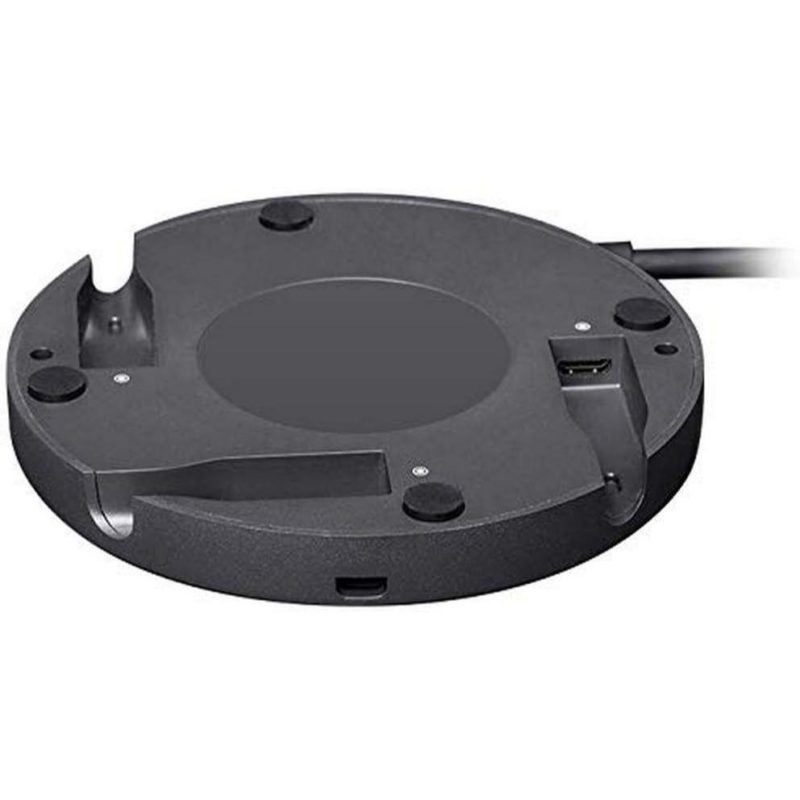
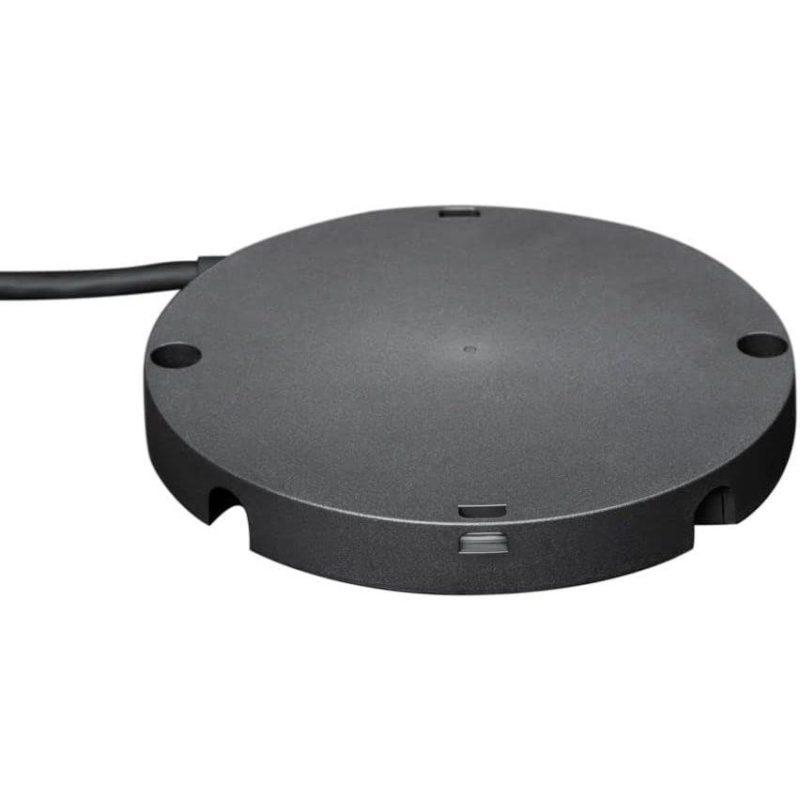
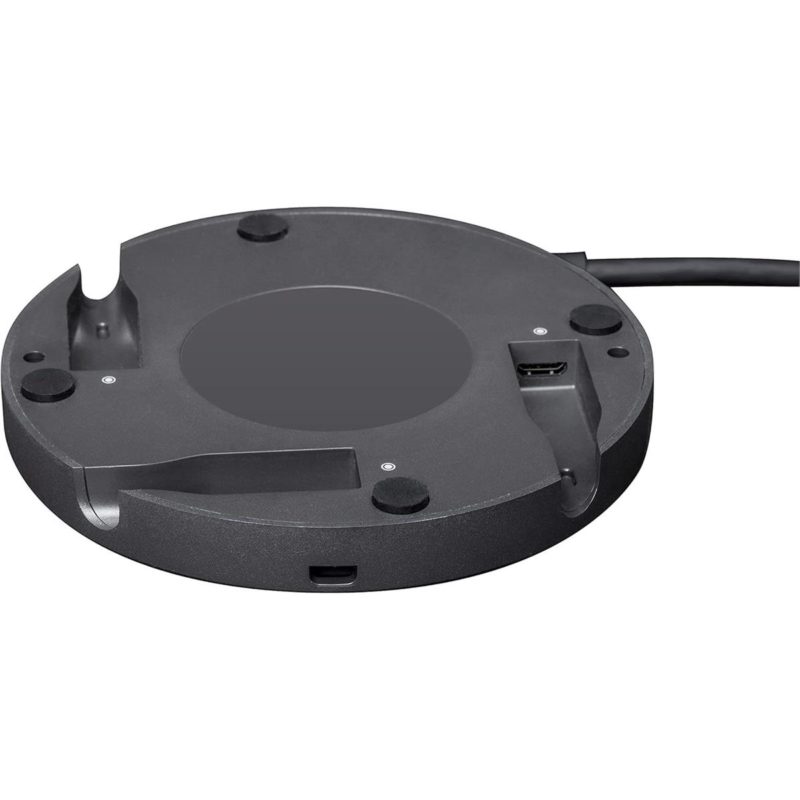
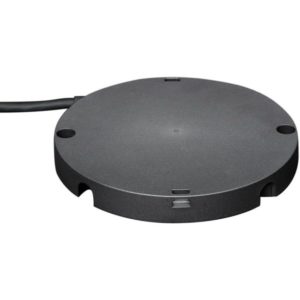
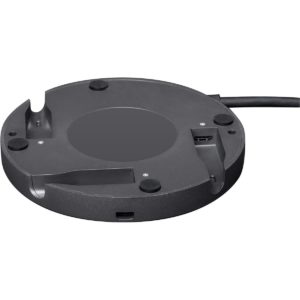
The Logitech Rally Mic Pod Hub
provides corporate conference rooms and boardroom setups in Pakistan with a clean, professional cabling infrastructure for modular video conferencing systems. Designed for enterprise spaces utilizing Logitech Rally, Rally Plus, and Rally Bar setups, this specialized hub allows IT administrators and AV installers to connect up to three Rally Mic Pods through a single under-table hub. By consolidating audio connections beneath the meeting table, it completely removes tangled cables and trip hazards, delivering an aesthetically clean table surface for corporate environments across Karachi, Lahore, Islamabad, and nationwide.
Built to support flexible seating and custom table configurations, the Rally Mic Pod Hub allows individual microphones to be positioned directly in front of meeting participants. This is especially useful for U-shaped setups, long executive tables, and modular room layouts where standard daisy-chaining creates excessive cable runs. Constructed with durable enterprise-grade housing and compact mounting brackets, the hub secures neatly out of sight underneath the tabletop. For corporate offices, university boardrooms, and government meeting spaces in Pakistan seeking a streamlined, high-performance AV installation, the Logitech Rally Mic Pod Hub is an essential accessory for professional communication setup.
EASE PTZ3X 1080P PTZ Camera – Frequently Asked Questions
1. What is the video resolution of the EASE PTZ3X?
The EASE PTZ3X records Full HD 1080P video (1920 × 1080) with sharp detail and accurate colour. It is ideal for professional video calls, presentations, online classes and live streaming.
2. Does the EASE PTZ3X have AI features?
Yes. It includes AI Humanoid Tracking (single-person tracking) and Auto Framing. The camera automatically follows a speaker, in full-body or half-body view, or keeps a group properly framed without a camera operator.
3. Is the 3x zoom optical or digital?
The 3x zoom is true optical zoom, which keeps image quality high. The camera also offers up to 16x digital zoom when you need extra reach.
4. What is the field of view?
The camera has a 90° ultra-wide-angle lens at its widest setting. This narrows to about 30.7° when fully zoomed in optically. That makes it suitable for both small rooms and large group meetings.
5. Can I set and recall camera presets?
Yes. You can save multiple preset positions with the remote control and recall them instantly. This is useful for switching between views during meetings, lectures and presentations.
6. Does the camera have auto-focus?
Yes. It uses TOF (Time-of-Flight) laser-assisted auto-focus for fast, accurate focusing, even when the subject is moving.
7. How do I control the pan, tilt and zoom (PTZ)?
You can control the camera in three ways:
- Infrared remote control (included)
- USB (UVC PTZ control through software)
- RS232 serial control (for professional control systems)
8. What is the RS232 port used for?
The RS232 port lets you control the camera with external controllers, joysticks or control systems using the VISCA protocol. It is commonly used in conference rooms, lecture halls and fixed installations that need centralised camera control, either instead of or alongside the infrared remote and USB control.
9. Is the EASE PTZ3X plug-and-play? Do I need to install drivers?
Yes, it is plug-and-play. The camera connects through a standard USB 2.0 port and supports the UVC 1.1 protocol. It works on Windows, macOS, Linux and Android, and on most systems it needs no extra drivers.
10. What are the pan and tilt ranges?
- Horizontal pan: ±170°
- Vertical tilt: approximately -30° to +90°
11. Is it suitable for live streaming?
Yes. Its 1080P quality, optical zoom, AI tracking and smooth PTZ movement work well with OBS, Twitch, YouTube Live, Zoom webinars and other streaming platforms.
12. Can I use it for hybrid meetings and group conferences?
Yes. The 90° wide-angle lens, AI auto-framing and tracking, optical zoom and preset positions make it a good fit for small to medium meeting rooms, classrooms and hybrid workspaces.
13. What power options does it support?
You can power the camera with the included DC 12V adapter or through USB Type-C (5V). Maximum power consumption is about 12W.
14. Can I change the camera menu language?
Yes, the camera supports multiple menu languages.






Reviews
There are no reviews yet.